Stream Deck Integration
The Stream Deck Integration allows you to trigger, toggle, and send messages to Warudo directly from your Stream Deck.
Preparation
To use Stream Deck Integration in Warudo, make sure you have a Stream Deck device and that the Stream Deck App is installed correctly.
Next, you need to install the Warudo plugin for Stream Deck from its marketplace: Warudo | Elgato Marketplace
Usage
Warudo provides three nodes related to Stream Deck:
- On Stream Deck Trigger
- On Stream Deck Toggle
- On Stream Deck Message
They correspond to the three actions in the Warudo plugin for the Stream Deck App:
- Trigger
- Toggle
- Message
To link a node with an action, follow these steps:
- Add an On Stream Deck ... node in Warudo.
- Enter a name in the Receiver Name port of the node.
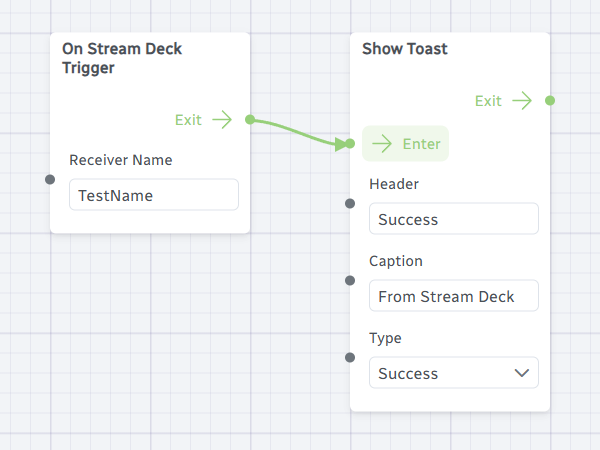
- In the Stream Deck App, add an action that matches the node type.
- In the action’s Receiver Name dropdown, you should see the string you entered in the node’s Receiver Name port.
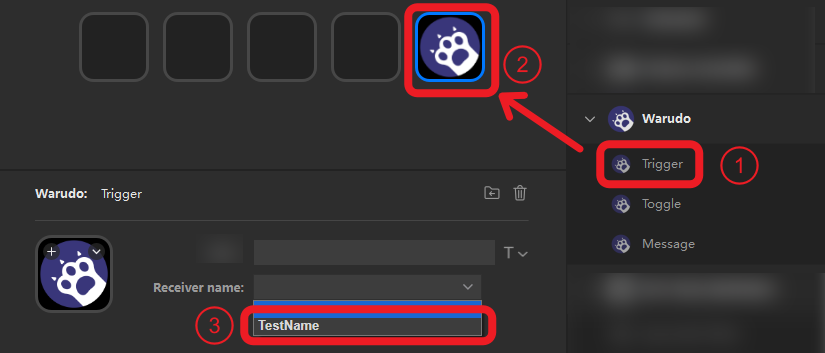
- Select it. Now, when you press the action on your Stream Deck, the corresponding node in Warudo will be triggered!

If the dropdown shows no options, and you have confirmed that the node type and action type match, the connection between Stream Deck and Warudo may not be established correctly.
Try restarting both applications, rebooting your computer, or updating to the latest versions. These steps may solve the issue.
The differences between the three node/action types are explained below.
Trigger
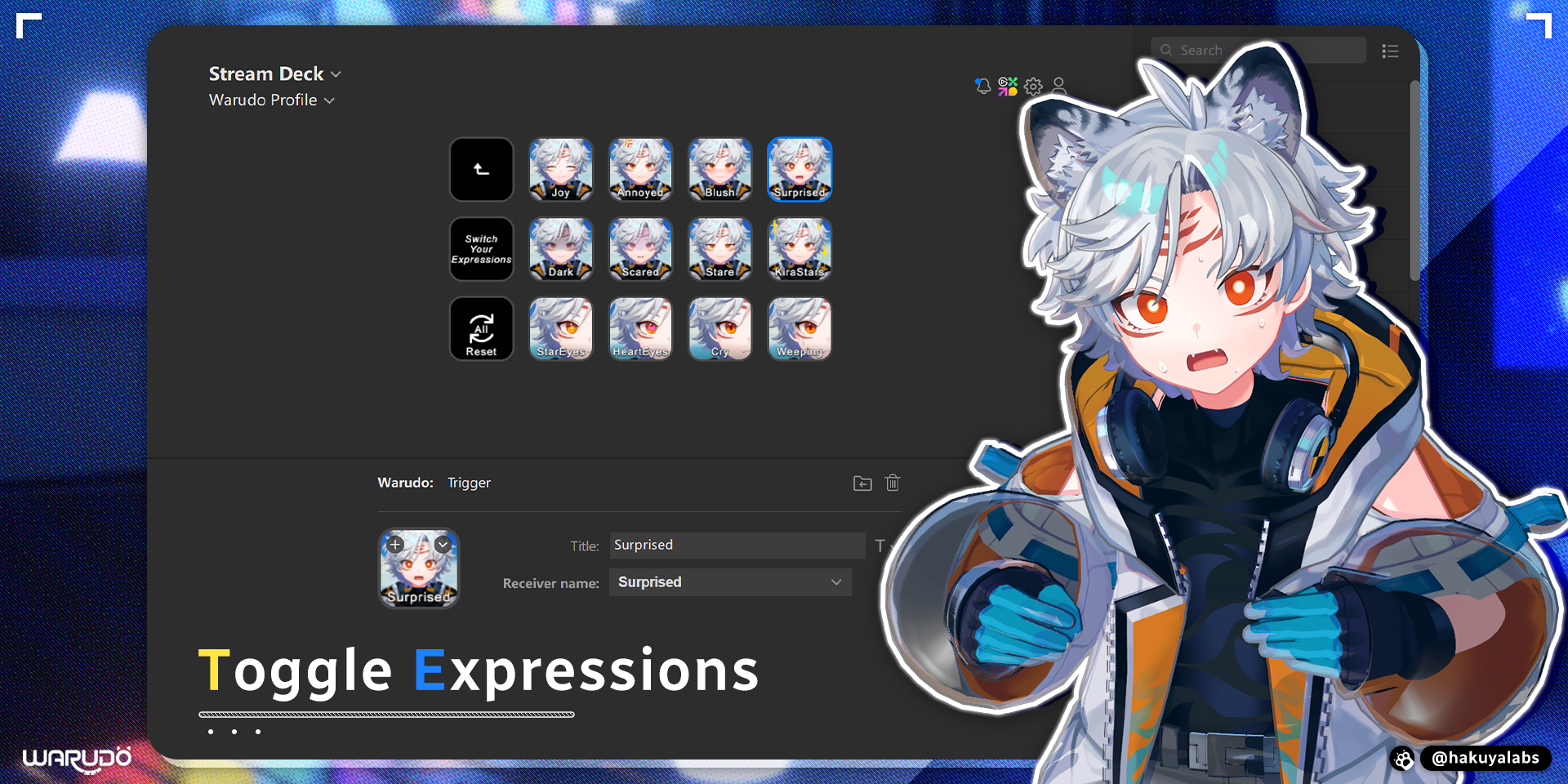
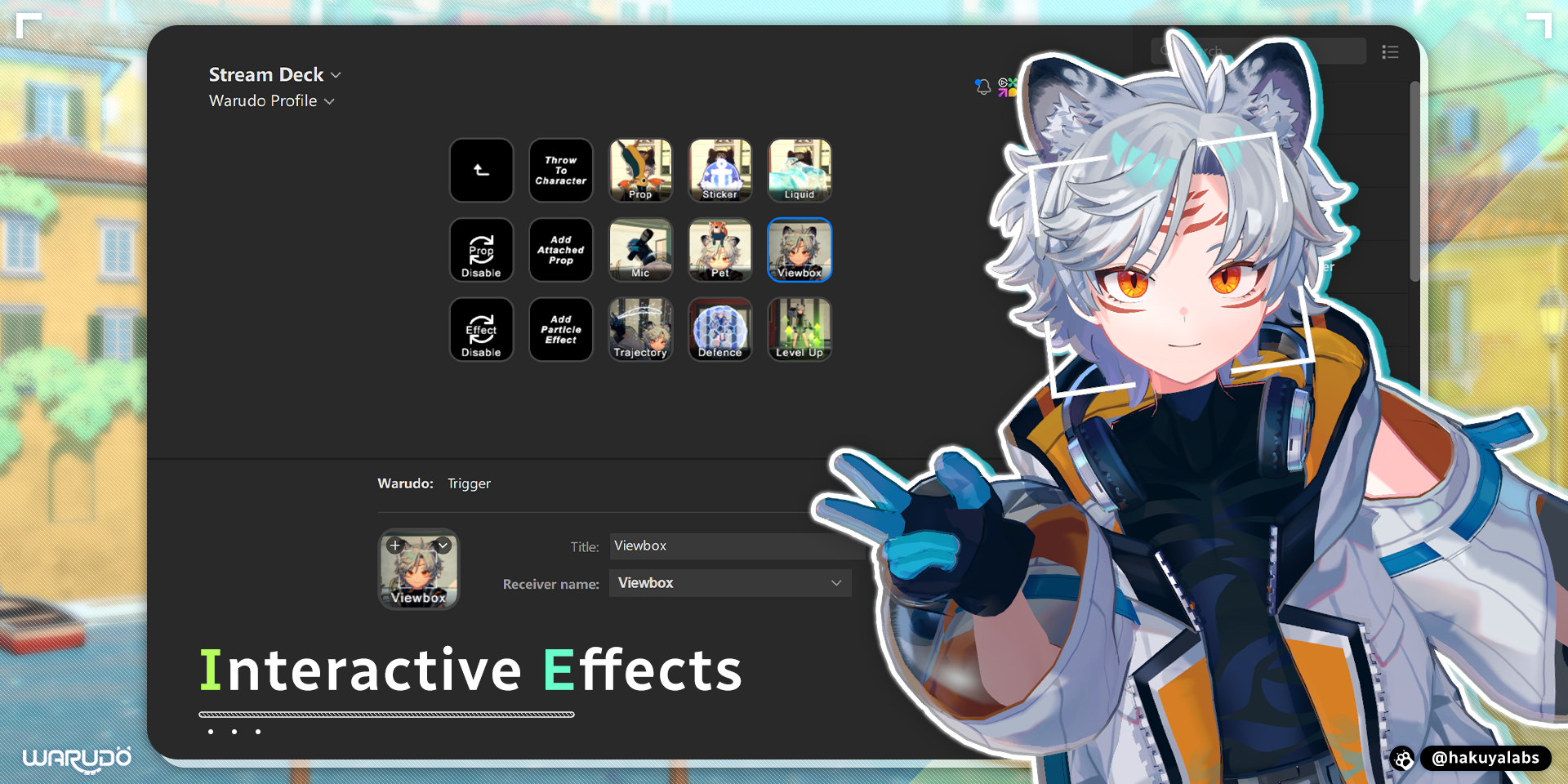
If you activate a Trigger action, it will activate the “Exit” port of the connected node.
Toggle
If you activate a Toggle action with a ⚪ Grey icon, it will activate the “If Yes” port of the connected node, and then become 🟣 Purple.
If you activate a Toggle action with a 🟣 Purple icon, it will activate the “If No” port of the connected node, and then become ⚪ Grey.
Message
If you activate a Message action, it will change the value of the “Message” port and activate the “Exit” port of the connected node.
Examples
Toggle Expressions
Interactive Effects
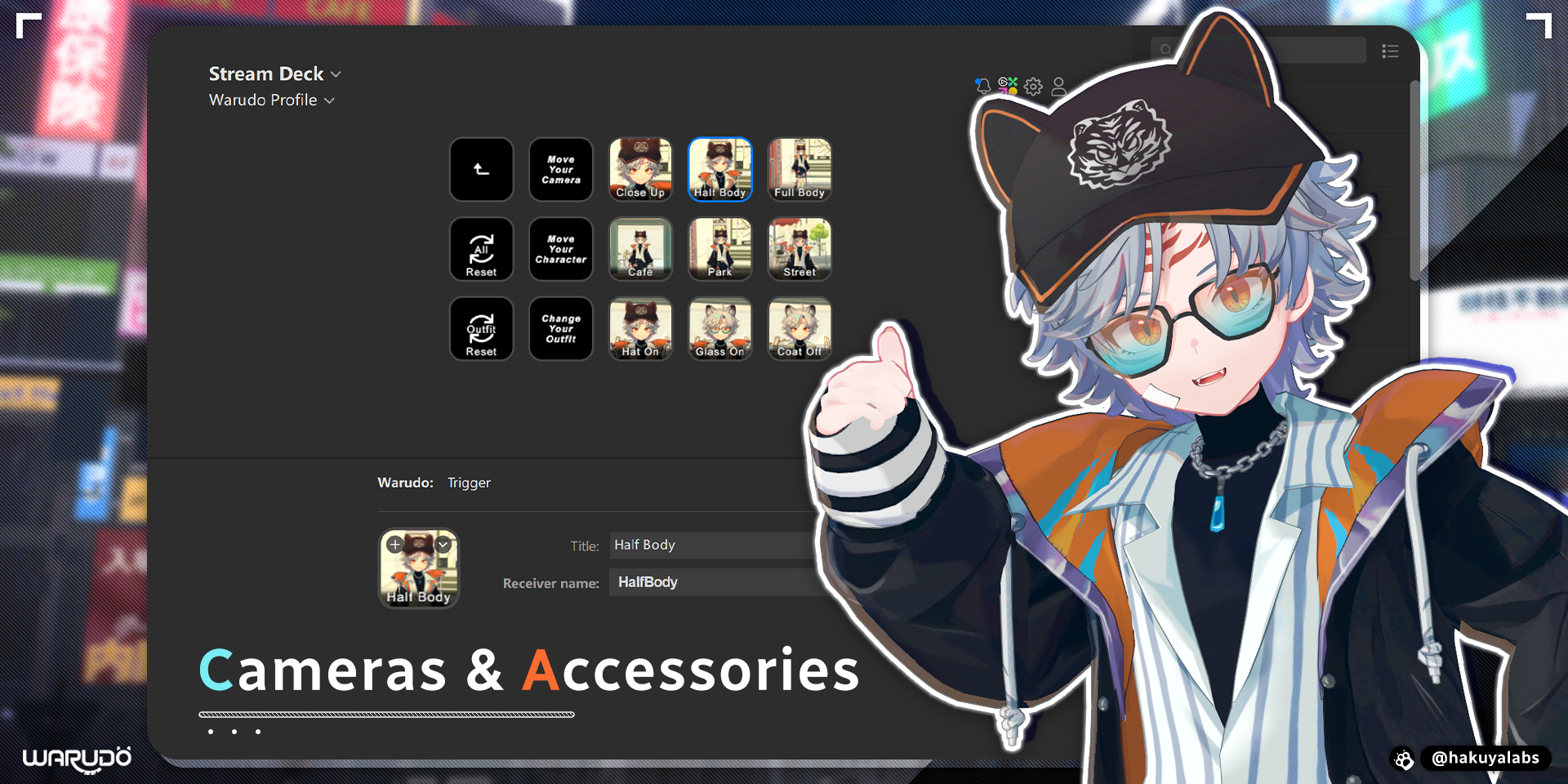
Cameras & Accessories