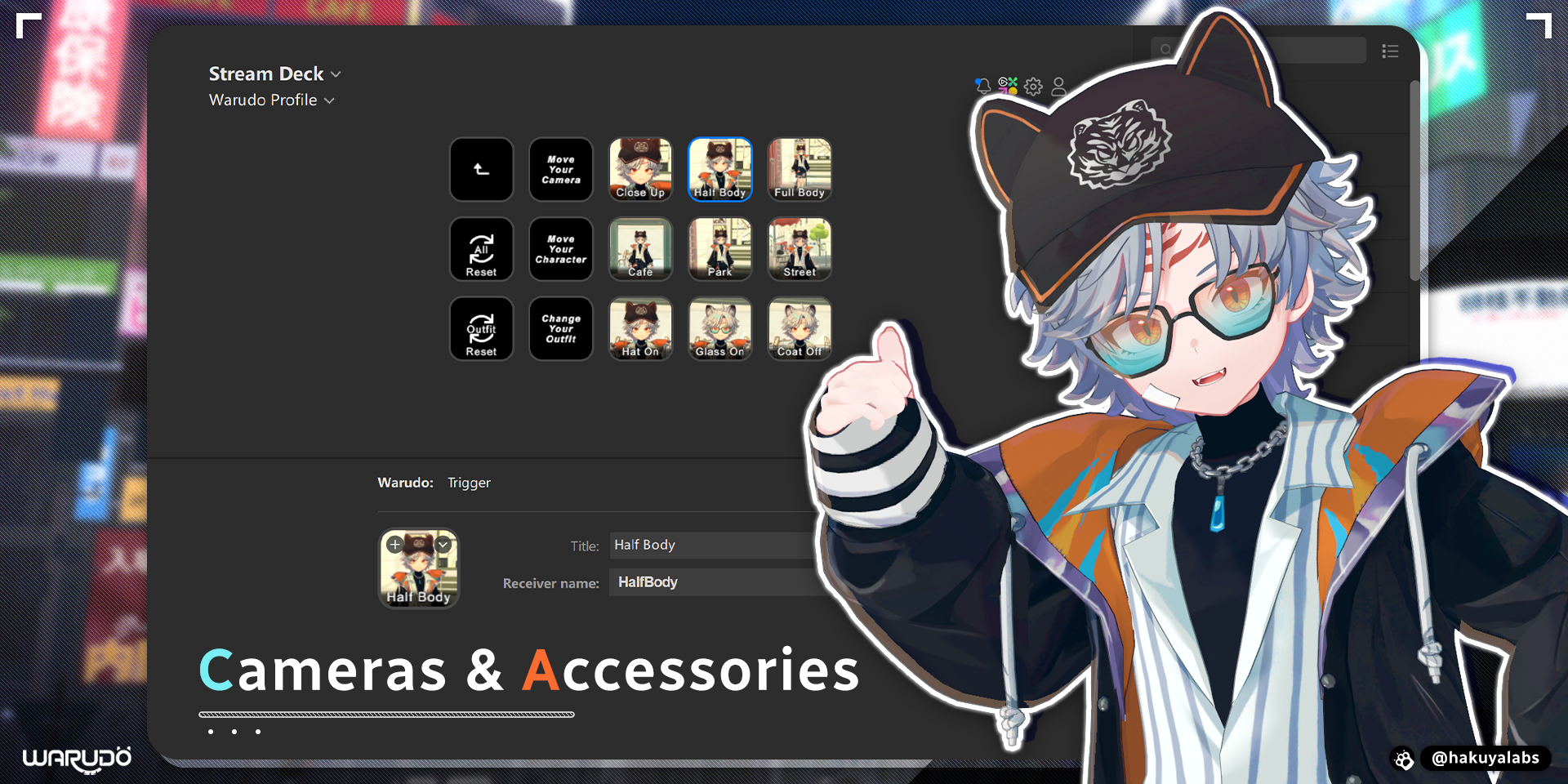
Stream Deck連携
Stream Deck連携では、Stream Deckから直接Warudoをトリガー、切り替え、メッセージ送信できます。
準備
WarudoでStream Deck連携を使用するには、Stream Deckデバイスを用意し、Stream Deck Appが正しくインストールされていることを確認してください。
次に、マーケットプレイスからStream Deck用のWarudoプラグインをインストールします。Warudo | Elgato Marketplace
使用方法
Warudoには、Stream Deckに関連する3つのノードがあります。
- On Stream Deck Trigger
- On Stream Deck Toggle
- On Stream Deck Message
これらは、Stream Deck App用Warudoプラグインの3つのアクションに対応しています。
- Trigger
- Toggle
- Message
ノードをアクションにリンクするには、次の手順に従ってください。
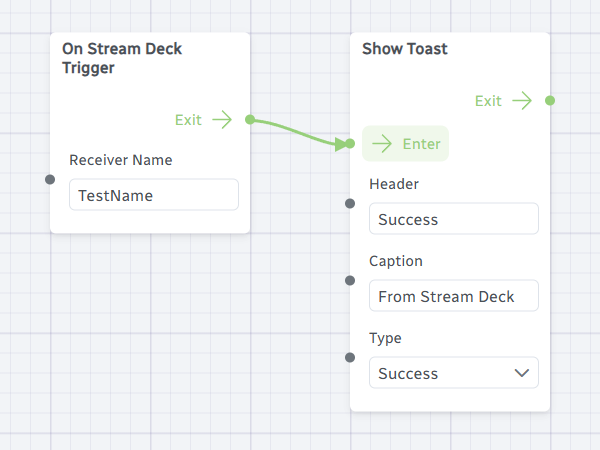
- Warudoで On Stream Deck ... ノードを追加します。
- ノードのReceiver Nameポートに名前を入力します。
- Stream Deck Appで、ノードの種類と一致するアクションを追加します。
- アクションのReceiver Nameドロップダウンに、ノードのReceiver Nameポートに入力した文字列が表示されます。
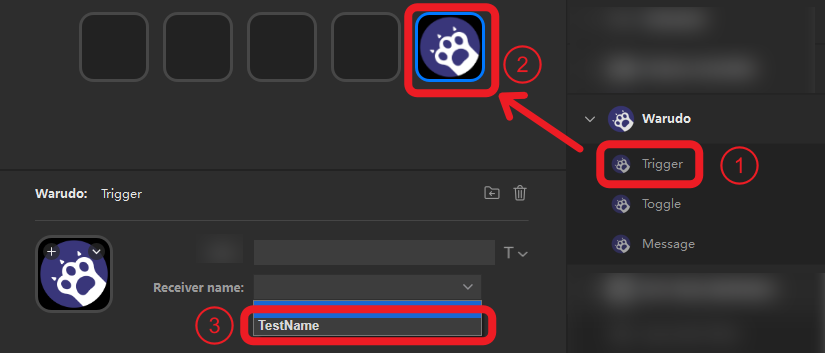
- それを選択します。これで、Stream Deckでアクションを押すと、Warudo内の対応するノードがトリガーされます!

ドロップダウンに選択肢が表示されず、ノードの種類とアクションの種類が一致していることを確認済みの場合、Stream DeckとWarudoの接続が正しく確立されていない可能性があります。 両方のアプリケーションの再起動、コンピューターの再起動、または最新版への更新をお試しください。これらの手順で問題が解決する場合があります。
3種類のノード/アクションの違いを以下で説明します。
Trigger
Triggerアクションを実行すると、接続されたノードのExitポートがトリガーされます。
Toggle
⚪ GreyアイコンのToggleアクションを実行すると、接続されたノードのIf Yesポートがトリガーされ、アイコンが🟣 Purpleに変わります。
🟣 PurpleアイコンのToggleアクションを実行すると、接続されたノードのIf Noポートがトリガーされ、アイコンが⚪ Greyに変わります。
Message
Messageアクションを実行すると、Messageポートの値が変更され、接続されたノードのExitポートがトリガーされます。
例
表情の切り替え
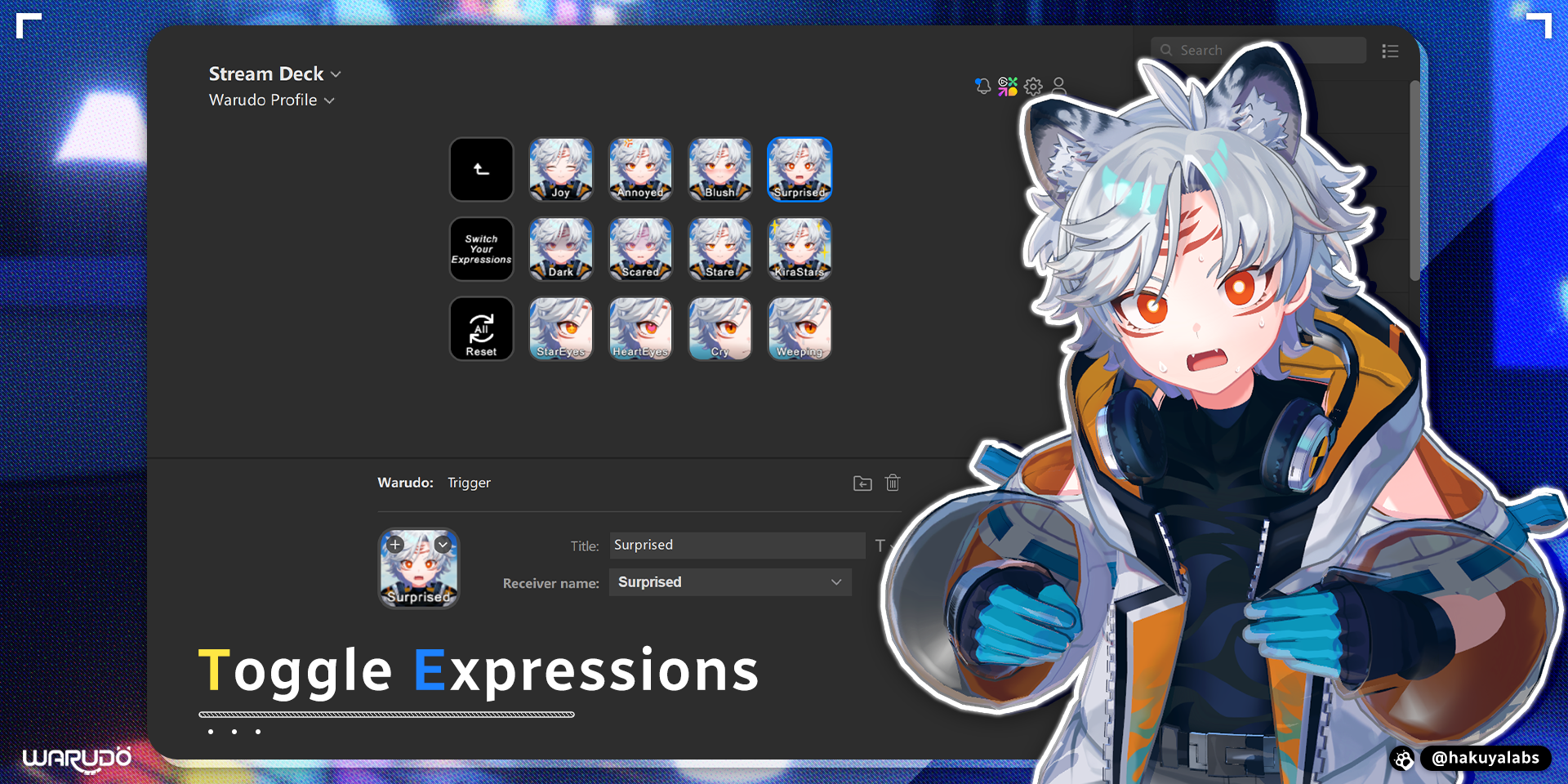
インタラクティブエフェクト
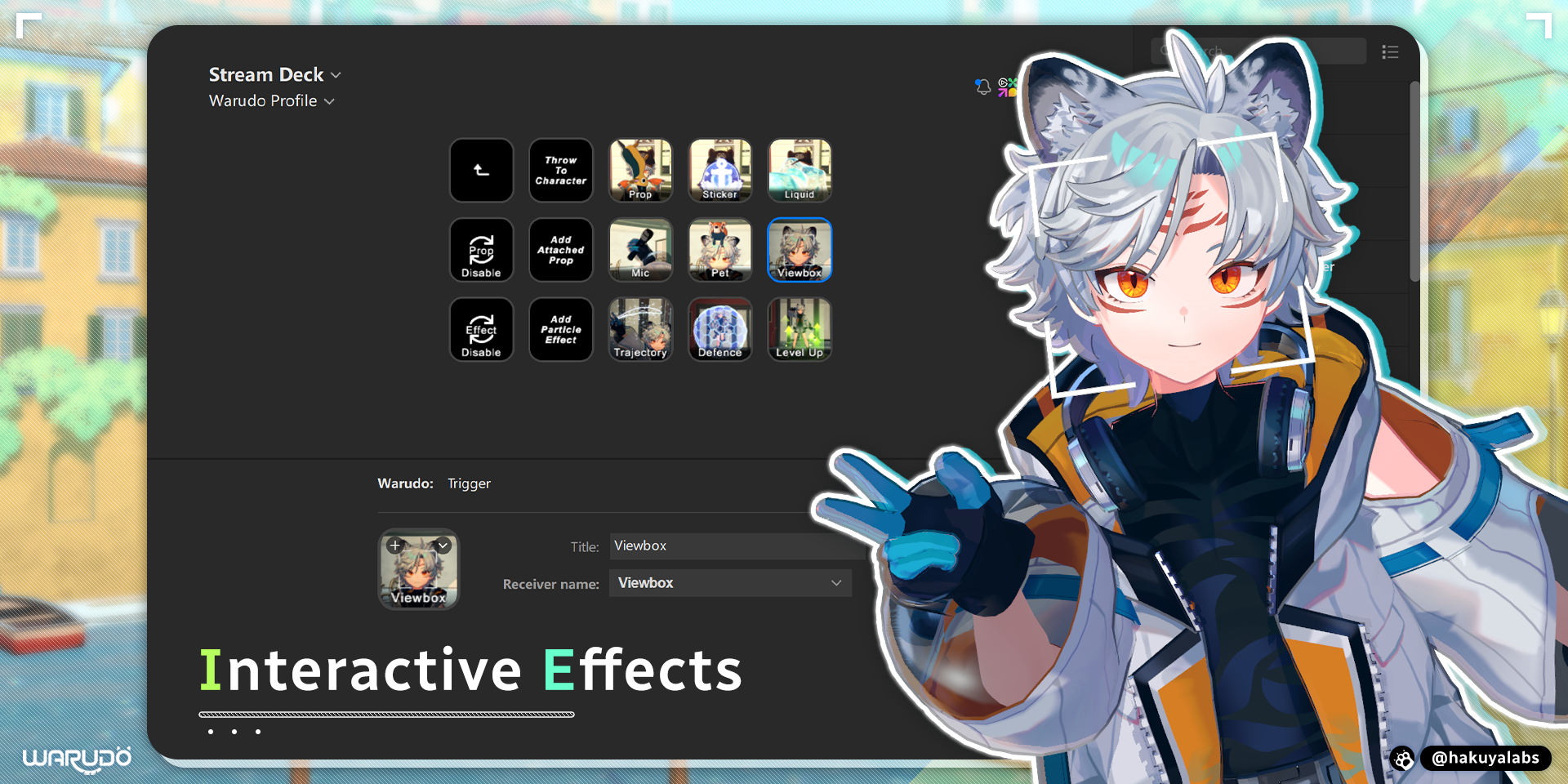
カメラと道具